PowerMaxOS 10.5 Brings PowerPath Back to PowerMax, Adds Snapshot Scanning
PowerMaxOS 10.5 restores PowerPath, adds Cyber Detect snapshot scans and OpenTelemetry telemetry. Here's what admins should check before scheduling the upgrade.
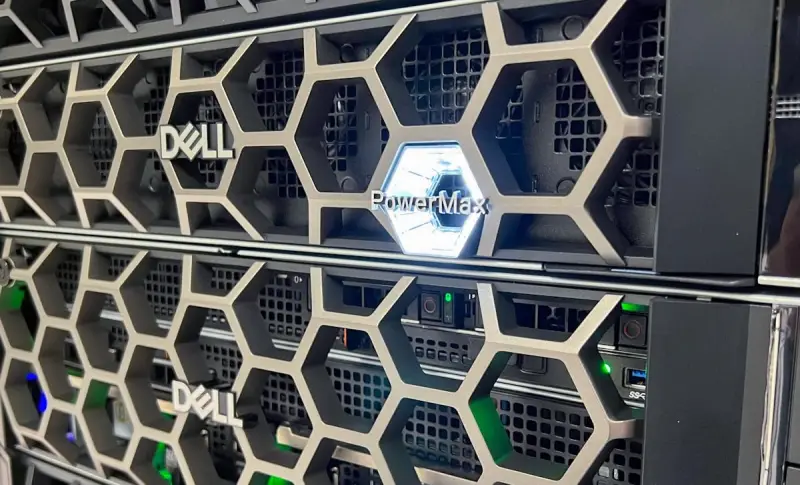
Dell's PowerMaxOS 10.5 is a software-only update for the PowerMax 2500 and 8500, and it touches three areas that storage teams have been asking about: multipathing, backup-integrity checks and how array data gets out to monitoring tools. The no-charge upgrade installs non-disruptively under an active Dell service contract and is available now. The one piece that isn't free is Cyber Detect, which carries its own licence.
My read is that the most interesting part for most shops is the return of PowerPath, followed closely by the snapshot scanning. The telemetry and API changes are useful, but they mostly matter to teams already building their own monitoring pipelines.
PowerPath Is Back, and the Numbers Are Specific
PowerPath support now covers the PowerMax 2000, 2500, 8000 and 8500. That list is wider than the 2500 and 8500 that PowerMaxOS 10.5 is aimed at, so the two earlier arrays pick up the multipathing software too. The reason it matters is how the two approaches route I/O. Native round-robin multipathing (MPIO) sends reads down each path in turn, regardless of where the data sits. PowerPath tracks which PowerMax node already holds the requested data in cache and sends the read to that node.
Dell's headline figure is up to 29 percent higher IOPS than round-robin, measured in internal testing on a PowerMax 8500 with an 8K random read hit workload. Read that test condition carefully. It describes reads served from cache, on one array model, under one workload pattern. A mixed production workload with a lower hit rate won't necessarily see the same gain, and the figure shouldn't be used as a general throughput promise. If you're weighing a multipathing change, the honest test is a pilot on your own workload.
Snapshot Scanning With Cyber Detect
PowerMax already keeps immutable snapshots that can't be altered or deleted. Cyber Detect now checks whether those snapshots are clean. It's Dell's integration of Index Engines CyberSense, which reached PowerStore first, and it performs byte-level analysis trained on more than 7,500 ransomware variants. Dell cites up to 99.99 percent confidence in detecting corruption. That number comes from an ESG report that Index Engines commissioned in June 2025, so treat it as a vendor-sponsored result rather than an independent benchmark.
Operationally, array-based scans can run several times a day. Frequent scanning helps teams spot an attack while it's still underway and narrow down when data first became at risk. Policy-based or on-demand scans identify the last clean copy. The forensic output lists affected servers, corrupted files, the attack timeline and the blast radius, and findings can go to SIEM and SOAR platforms such as Splunk, QRadar and Microsoft Sentinel.
Drew Schulke, vice president of product management for primary storage at Dell, put the core question plainly: after an attack, the team needs to know whether it "can trust that copy." That's the right question, and the scan is only useful if the restore point it certifies is actually recoverable within your recovery time objective.
Two cost points need checking before anyone plans around this. Cyber Detect requires a separate licence, and it also needs a supported Dell PowerEdge server. So the no-charge upgrade doesn't cover the scanning capability. Budget and hardware conversations should start early.
Telemetry and Automation
Dell says the enhanced bulk REST APIs return performance metrics up to 14x faster through a single filter-driven request. That comparison is one bulk call covering 10 instances in PowerMaxOS 10.5 against 14 standard API calls in PowerMaxOS 10.4. It's a fair comparison for the case described, but it's not a blanket speedup for every API workload.
Native OpenTelemetry support streams performance data to Prometheus or any OpenTelemetry-compatible collector. That removes the need for custom polling code, which many teams have maintained themselves. Fabric Performance Impact Notification (FPIN) events from Broadcom Brocade SAN fabrics now appear in the REST API alongside array performance data, so fabric events and array metrics can be read from one source. For teams correlating a latency spike with a fabric event, that single source is a practical gain.
The planned Model Context Protocol (MCP) integration is the item to watch. Dell says it will let IT managers ask about capacity, performance or response times in plain language from AI clients such as ChatGPT, Claude or Gemini. Dell also says storage administrators keep full control over configuration changes. In practice, that suggests a read-oriented query path for reporting, with changes still handled by the storage team. Whether that boundary holds in your environment is a policy decision, and it's worth settling before the integration arrives.
On the container side, the release streamlines storage provisioning and speeds up cleanup for Red Hat OpenShift workloads. Dell hasn't published figures for those gains, so plan to measure them yourself.
NVMe over TCP Gets Easier to Run
End-to-end NVMe over TCP gains external Unisphere and Solutions Enabler management, simplified provisioning and support for 100GbE single-mode optics. Dell says these additions let administrators operate and manage a PowerMax entirely over standard IP networks. NVMe/TCP has been part of the platform since PowerMaxOS 10 arrived with the 2500 and 8500. Dell describes the past year of PowerMax releases as focused on security, ease of use, hypervisor flexibility and maturing that protocol. For shops that want to avoid specialised fabric hardware, that direction is the more significant part of the story.
Context: Software on Installed Hardware
The release follows PowerMaxOS 10.4, which focused on SRDF read latency and ransomware detection. It also leans on software to get more from arrays customers already own. Dell frames that approach against constrained NAND supply, and says PowerMax sales grew more than 60 percent in fiscal 2026. The company also cites IDC data giving it 42 percent of high-end storage, more than twice the share of its nearest competitor. Those are Dell's figures, and they describe market position rather than anything about this release's performance.
What to Check Before the Change Window
Start with the service contract, because the no-charge upgrade depends on an active one. Confirm which arrays are in scope and whether any of them are PowerMax 2000 or 8000 units that will gain PowerPath but aren't named as PowerMaxOS 10.5 targets. If Cyber Detect is on the roadmap, check the licence and PowerEdge server requirements now. If you're building telemetry pipelines, test the OpenTelemetry stream against your existing collector before you retire any polling scripts. And if PowerPath is on your list, plan a pilot that reflects your real hit rates rather than the single cache-hit test Dell ran.
The bigger question is whether Dell can keep pairing new software features with installed hardware. If the MCP integration and snapshot scanning land as described, PowerMax owners will get more operational value from arrays they already run. The price of that value is licensing and a close look at how much of it your environment can actually use.


