Carved Pumpkin Portraits From a Photo With Free AI Chatbots
Free AI chatbots can turn a photo into a carved pumpkin portrait from one prompt. Here's the workflow and the consent and data checks to run first.
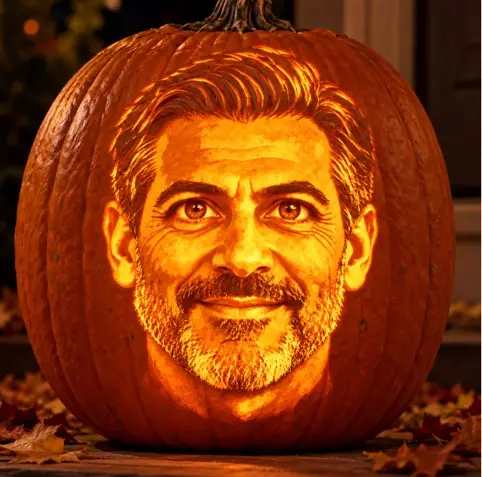
Turning a face into a glowing jack-o'-lantern takes about a minute with ChatGPT, Google Gemini or Microsoft Copilot. Upload a photo, paste one prompt, and the tool returns a carved portrait. The source for this walkthrough puts the cost at nothing, and the workflow is simple enough that most people will try it on a colleague or a family member before thinking about where that photo goes. That's the part worth a moment of attention, even if the pumpkin itself is harmless fun.
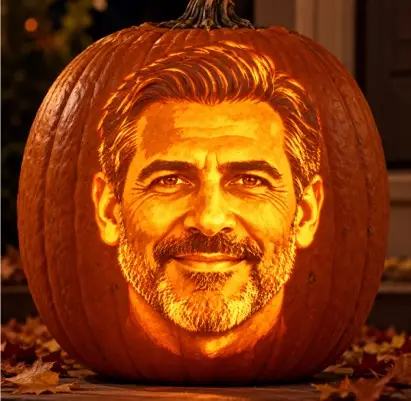
Pick your tool
ChatGPT (chatgpt.com), Google Gemini (gemini.google.com) and Microsoft Copilot (copilot.microsoft.com, or the Copilot app in Windows) all handle this kind of image request. The guide recommends starting with ChatGPT or Gemini, which it describes as good at keeping a face recognizable while changing its material and style. If the first result is weak, paste the same prompt into the other tool. Since the cost is zero, comparing two outputs is a reasonable test.
For a team that wants to run this at a Halloween event, the more useful comparison is account type. Free consumer accounts, work accounts signed in through Microsoft Entra ID, and personal accounts can carry different data-handling terms. Check which sign-in your staff are using before anyone uploads a colleague's photo. Many organisations already set a policy on which AI services are approved for work use, and a pumpkin portrait is a good reason to confirm that policy applies to images as well as text.
The workflow
- Start a new chat in your chosen tool.
- Attach the photo with the paperclip or + button, drag it into the chat box, or paste it.
- Paste the prompt below and press Enter.
Photo quality matters more than the prompt wording, according to the guidance. A face-on shot, well lit, with no sunglasses or hats and the face filling a good part of the frame, gives the model the most to work with. A normal phone photo is fine.
The pumpkin portrait prompt
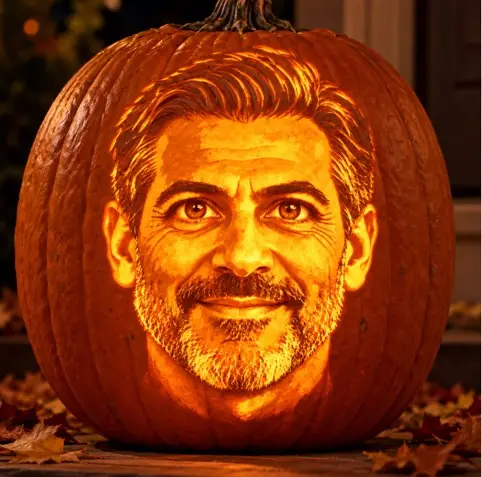
Using the attached photo, create a photorealistic image of a large orange Halloween pumpkin carved into a portrait of this person. Turn their most recognizable features into carved shapes: hairstyle, eyebrows, eye shape, nose, smile, and any glasses, beard or freckles. Use the expert carving style where some areas are cut all the way through and glow bright yellow, and other areas are shaved thin so they glow a softer orange, creating shading like a portrait. Light it from inside with a candle. Place the pumpkin on a wooden porch step at night with fallen autumn leaves around it. Square image, close up, with the pumpkin filling most of the frame. Show only the pumpkin, not the person or the original photo.
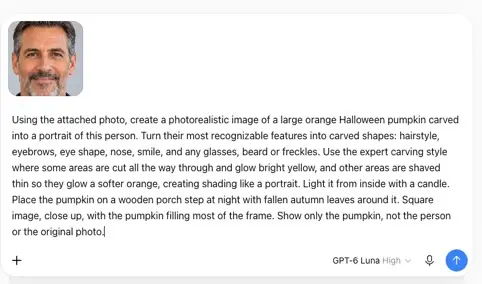
The prompt has three parts doing real work. Naming the features tells the model what makes the person recognizable; without that, you tend to get a generic jack-o'-lantern face. The "cut through versus shaved thin" instruction describes how portrait carvers create tonal shading, and it's the detail that separates a likeness from a smiley face. The final line, "show only the pumpkin," stops the model from placing the real person in the scene, which the guide says happens more often than expected.
Refining the result
The first output is a draft. Follow-up prompts in the same chat keep the rest of the image and change only what you ask for. The guide's examples include "Make the eyebrows thicker," "The hair is curlier than that," and "Make the smile wider and show teeth." Iterating in one conversation is usually faster than starting over, because the model already has the composition.
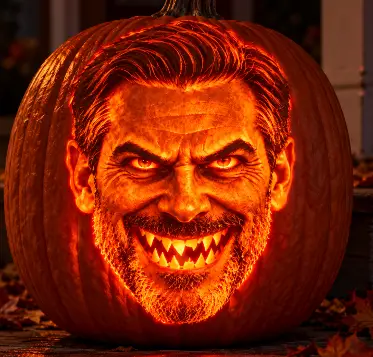
For a scarier version, add a line such as "Make the expression menacing, with a jagged grin and sharp, angry eyebrows, lit with flickering red orange light." For a caricature, the guide suggests asking the model to keep the image much the same but exaggerate the eyes, since caricature works by emphasising whatever is already distinctive about a face. Someone with large round glasses, for example, will be easier to recognise if the glasses are pushed further.
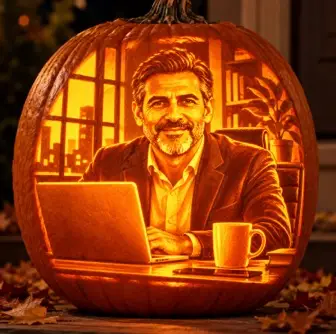
For an office party, the guide proposes keeping the pumpkin but changing the setting to a man at a desk in a modern office, beside a laptop and a coffee mug. A cartoon style is available with a single line: "Make it a fun cartoon illustration instead of a photo." For a group, attach several photos and ask for a row of pumpkins, one per person, in the order the photos were attached. Ordering is the fragile part, so check each pumpkin against its source photo before anyone prints or posts the result.
Consent and data hygiene
This is where the fun meets the admin's desk. Uploading someone's face to a third-party AI service is a data decision, not just a creative one. Before a team runs this at work, I'd settle three things. First, get the person's agreement, especially for anything that will be shared outside the team. Second, check the sign-in and data settings for the tool being used, and confirm they match your acceptable-use policy. Third, think about the output as well as the input. AI-generated images can carry metadata or other markers, so review what travels with a file before it goes into a shared folder, an intranet post or a social channel.
Staff who keep their Halloween experiments on personal accounts should not be uploading colleague photos to them at all. A short written rule, such as "work photos only through approved tools, and only with consent," is easier to enforce than trying to police individual prompts afterwards.
No photo? Use a classic prompt
If you'd rather skip people entirely, the guide offers a prompt for a classic carved pumpkin with no person involved:
A photorealistic carved Halloween pumpkin on a front doorstep at night, glowing from a candle inside. Classic spooky face with triangle eyes and a jagged toothy grin. Fallen autumn leaves, a few small gourds beside it, soft mist. Square image, close up.
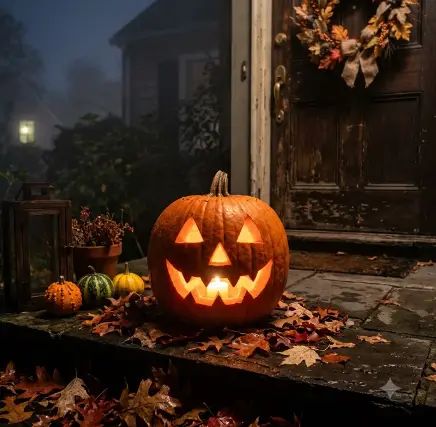
This is the safer option for shared channels, and it's a good way to test which tool suits your style before you try it with a real face.
The takeaway for IT teams is that the pumpkin is the easy part. The decisions worth making are about which accounts staff use, whether colleagues have agreed to be included, and how generated images get stored and shared. Set those rules once, and the Halloween portraits can go ahead without anyone wondering later where their face ended up.


