PowerShell 7.7 Ships as MSIX Only, and Side-by-Side Installs Get Messy
PowerShell 7.7 on Windows arrives only as an MSIX. It runs beside 7.6, but WinRM remoting and DISM cmdlets fail, so plan coexistence before you roll it out.
The thing to understand about PowerShell 7.7 isn't the feature list. It's the packaging. For Windows, 7.7 ships only as an MSIX, not the MSI that every previous release used. You can still grab the binaries as a zip, but there's no MSI. If you manage fleets, scheduled jobs or services that call pwsh.exe, that single change affects how you deploy and how the shell behaves once it's installed.
Start with the support window, because it determines which versions you'll be running. Even-numbered PowerShell releases follow the .NET Long Term Servicing cadence, and .NET is now at version 11. Odd-numbered releases are stable builds. An LTS release is supported until the next LTS arrives, which works out to roughly two years. A stable release gets about six months of support after the next LTS, so about 18 months in total. Right now that leaves 7.6 and 7.7 as the only supported versions. Anything older is out of scope.
Why MSIX, and where the blockers stand
The reason for MSIX is the part that matters most. The PowerShell team says the goal is to include PowerShell 7 in future Windows releases, and MSIX is the packaging model that makes that possible. The catch is that MSIX carries inherent limitations, and those haven't been fully resolved. The PowerShell team has said for several months that other teams are working on them.
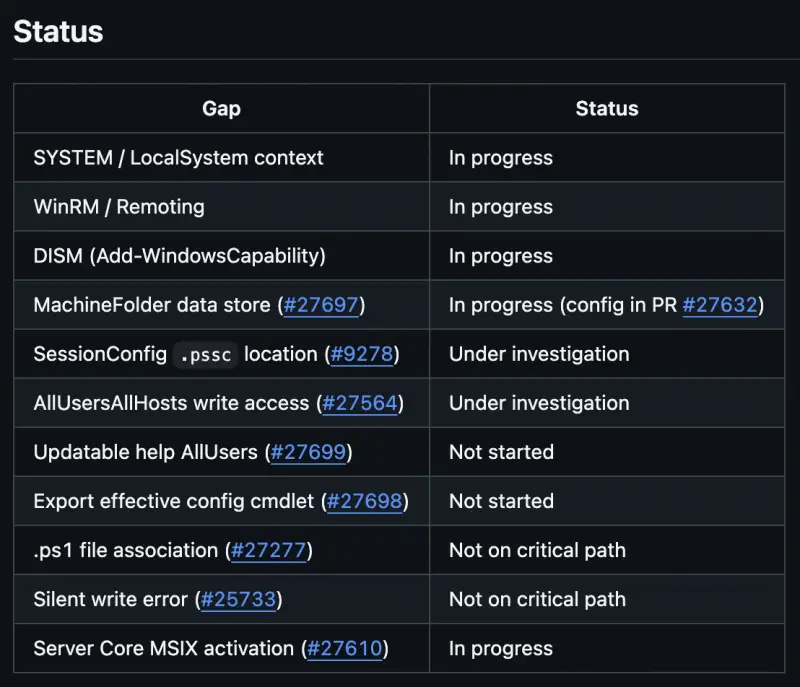
The team tracks the remaining gaps in a GitHub issue, PowerShell/PowerShell #27565. The current summary is captured here:
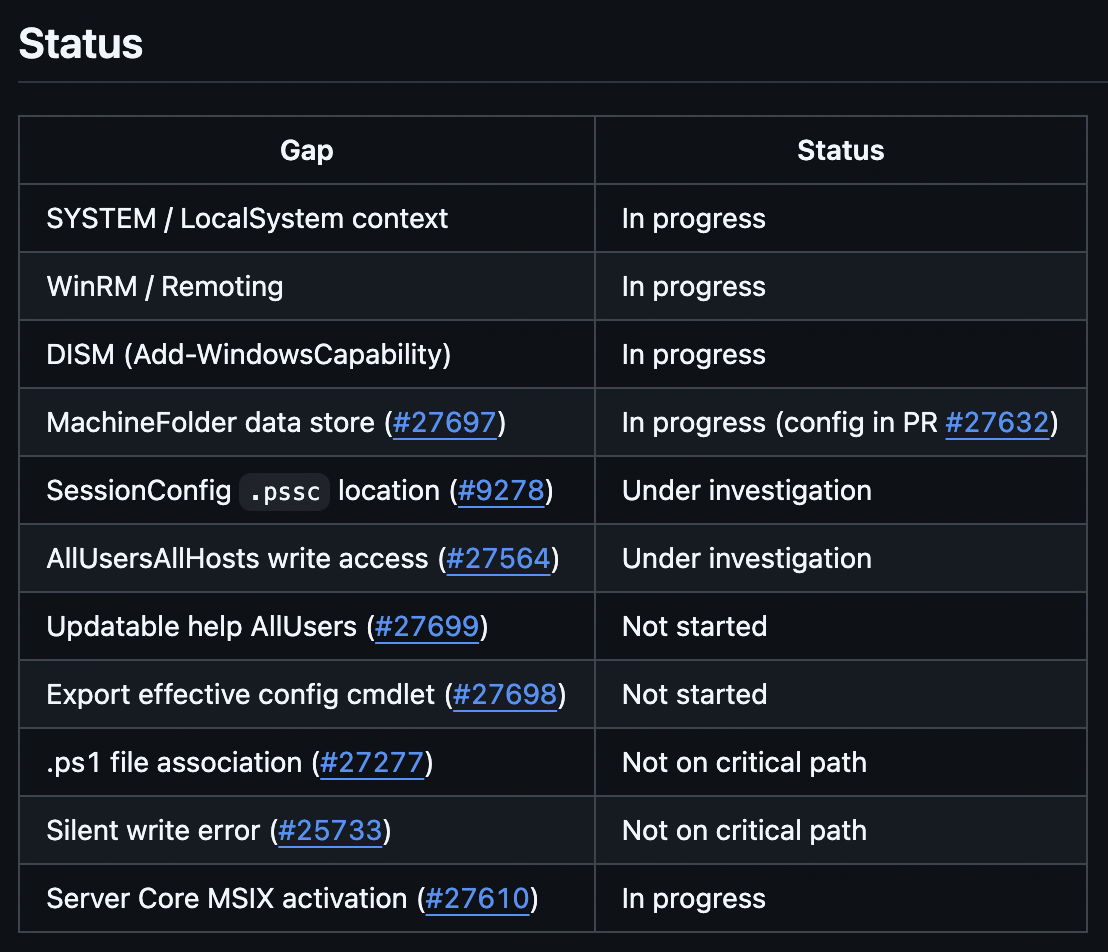
The tracking item also says the team is "committed to resolving the blocker gaps before PS7 ships as the inbox shell," and that updates will be posted to each individual issue. I read that as a useful signal and a bit of pressure on the teams that own the underlying work. Still, the blockers aren't cleared yet, so PowerShell 7 isn't going to be the inbox shell in the near term. The author's estimate is that the next Windows Server release, expected around November 2027, is the more realistic target, with a Windows 11 release around the same time as a best case. Plan for these limitations to stick around for a while.
How 7.6 and 7.7 actually coexist
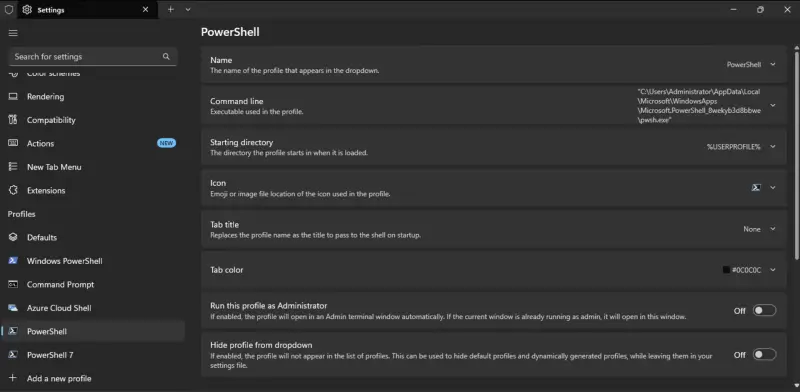
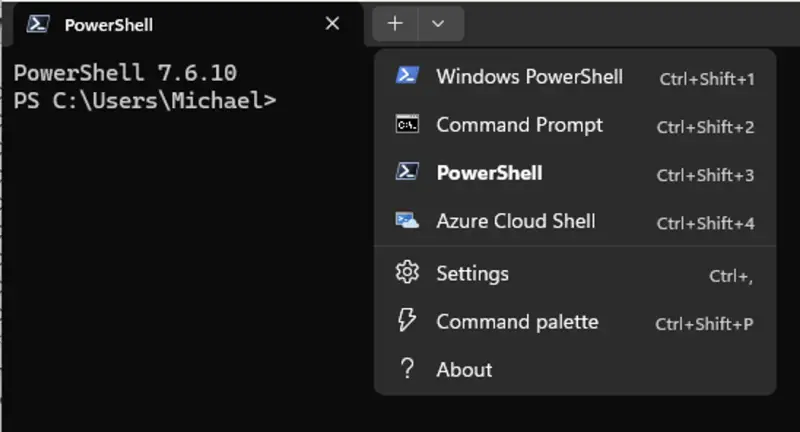
On a machine already running 7.6, installing the 7.7 MSIX gives you two side-by-side versions. Windows Terminal shows two profiles: "PowerShell" opens 7.7, and "PowerShell 7" opens 7.6. That part is straightforward.
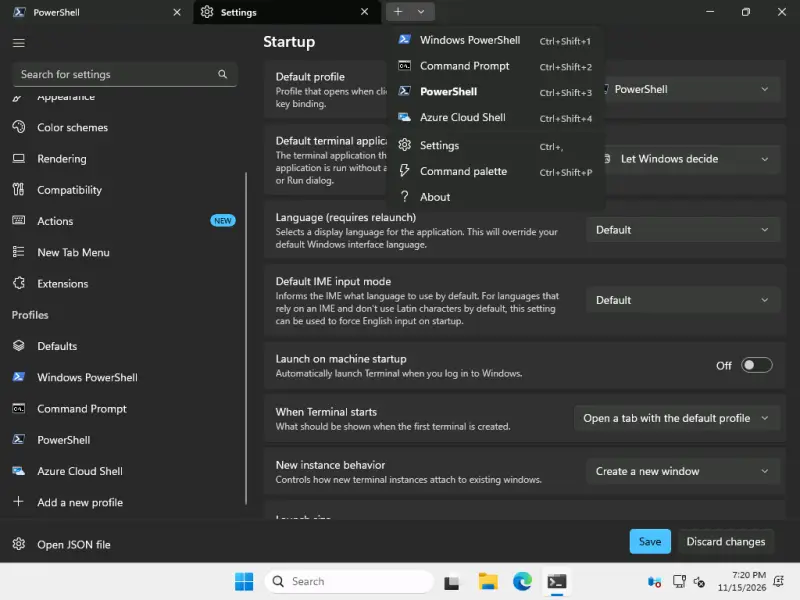
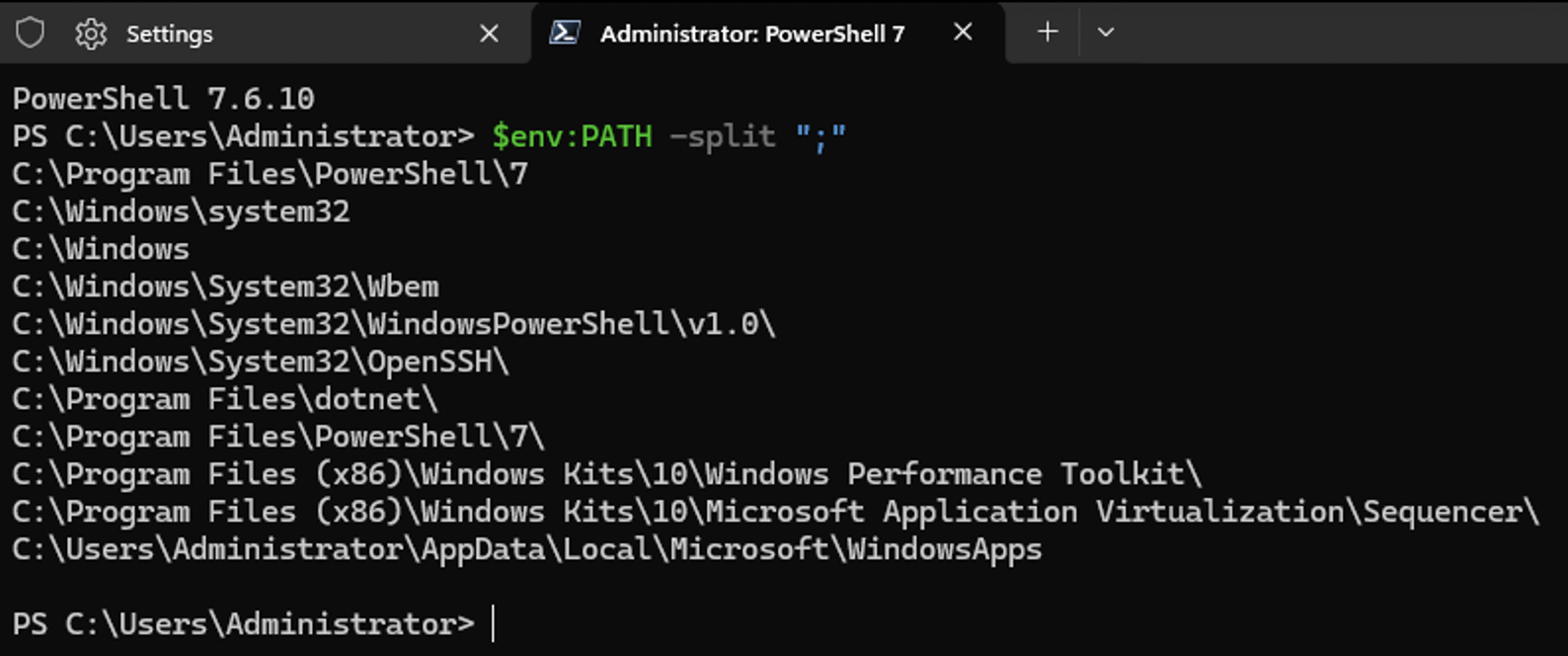
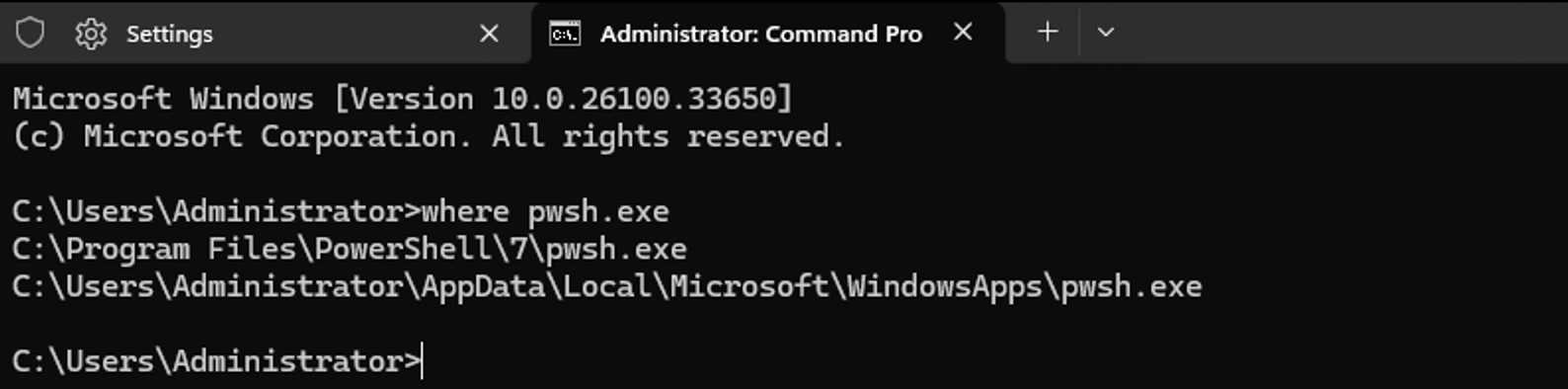
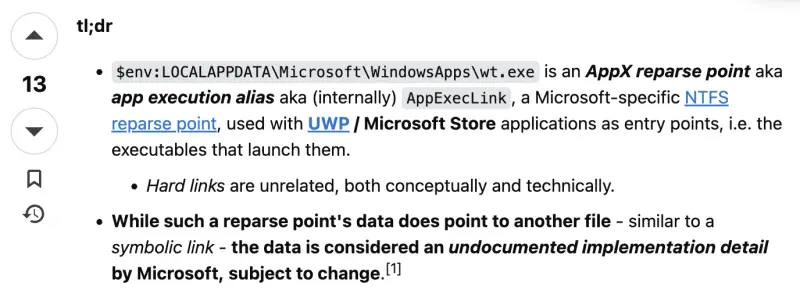
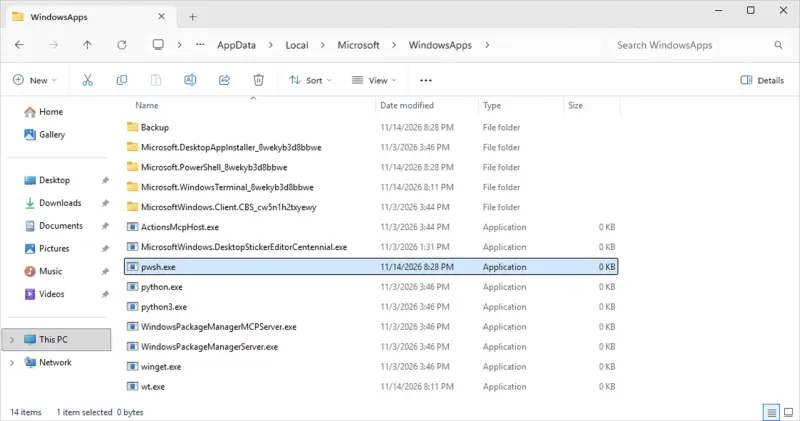
The command line is where it gets odd. Running pwsh.exe from a command prompt doesn't find 7.7. The PATH contains the 7.6 install under C:\Program Files, and there's no 7.7 entry. Running where pwsh.exe returns two results, though. The second one lives in WindowsApps and is a zero-byte file. That's a reparse point pointing at the real binary, which sits one level down in the Microsoft.PowerShell_8wekyb3d8bbwe directory. Most tools don't understand reparse points, so getting that target in a readable form is harder than it should be. The raw data is visible through fsutil reparsepoint query, but nothing about it is friendly.
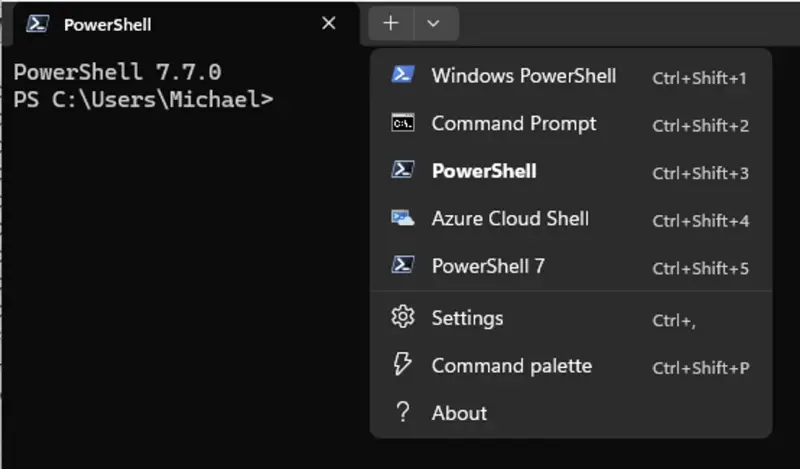

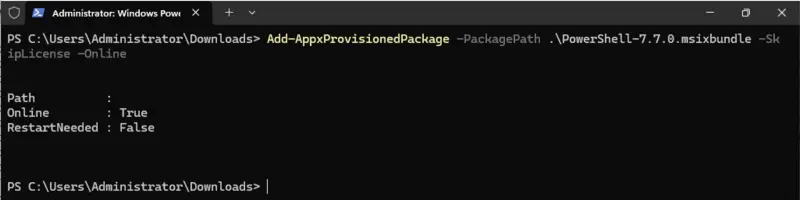
User context changes the picture again. Sign in as a different user on the same machine and only 7.6 is visible. That's because the MSIX defaults to a per-user install, like other UWP and Store apps. Each user has to get the package, or an administrator can provision it so it installs for every user at their next sign-in. Provisioning worked as expected in the test. The new user then had 7.7, but Terminal didn't show it at first. Closing and reopening Terminal fixed that. The author admits it "feels half-baked" and suspects someone can explain it. Treat the delayed profile as a known oddity to expect, not as a sign the install failed.

LocalSystem is the most important gap for administrators. Provisioned MSIX apps don't install for LocalSystem, so anything running as that account won't see PowerShell 7.7 at all.
Scheduled tasks and services
Scheduled tasks behave the way you'd hope in this setup. A task set to run as the logged-on user uses 7.6, and so does a task running as LocalSystem. The author hit a "file not found" error on the first attempt, but the cause was unrelated to the MSIX. The machine hadn't been rebooted after installing 7.6, so the Task Scheduler service never picked up the PATH change. A reboot resolved it. If you're validating this in a lab, reboot before you draw conclusions.
Services are the main deployment risk. Software such as DeployR starts background PowerShell processes by calling pwsh.exe. The outcome depends on what's installed. With 7.7 alone, a service calling pwsh.exe fails because nothing resolves. With 7.6 and 7.7 both present, the service picks up the 7.6 binary from Program Files and runs without issue. The practical fix for that scenario is to keep 7.6 installed alongside 7.7.
Software that embeds the PowerShell SDK avoids the executable lookup entirely, because the engine runs inside the application. There are still gotchas, though. Anything that needs to launch pwsh.exe directly, or depends on remoting and jobs, will behave differently.
What breaks in interactive work
Interactive sessions expose the real problems. The PowerShell team documents two issues in 7.7. WinRM-based remoting into 7.7 doesn't work. DISM cmdlets that handle Windows features and capabilities also fail under 7.7. The author confirmed the DISM problem: running an Add-WindowsCapability command in 7.7 hangs for a long time before returning an error.
Two things still work. Remoting for PowerShell 5.1 compatibility, which creates an internal 5.1 process and remotes into it, runs fine. Background jobs also work. So the breakage is specific to WinRM remoting into 7.7 and DISM-backed provisioning.
My read: until the blockers close, keep feature and capability provisioning on 7.6. Build your runbooks and automation with that version as the explicit choice rather than whatever pwsh resolves to on a given host. Don't rely on the PATH or on a profile to pick the right binary.
What to do this quarter
This isn't an emergency, but it does require planning. Install 7.6 on any host where services or scheduled tasks depend on pwsh.exe, and reboot after installing so the Task Scheduler picks up the PATH. Keep 7.6 for WinRM remoting and DISM work. Provision 7.7 deliberately if your users need it, and test the first-sign-in Terminal behavior. Avoid 5.1 unless you have no choice. Coexistence between 7.6 and 7.7 is the realistic strategy for the next year or so. Watch the GitHub tracker for the blocker closures, because they're the signal that will tell you when the inbox-shell plan actually lands.


