Microsoft Classroom Gives Schools a Teams-Free Route to Microsoft's Teaching Tools
Microsoft Classroom offers a Teams-free home for assignments, grades and feedback, with general availability targeted for back-to-school 2027.
Microsoft Classroom is a new teaching and learning app aimed at schools that find Class Teams cluttered. It pulls Assignments, Classwork, Grades, Insights, Reflect, Class Notebook and Teach into one focused experience, and Microsoft expects it to be generally available for the northern hemisphere back-to-school period in 2027. For IT teams, the interesting part isn't the feature list. It's that schools now get a real choice about where classwork lives, and that choice arrives at the same time as a licensing change for Teams.
Teams is not being discontinued. Schools can keep using it for communication, meetings, collaboration and teaching. My read is that Classroom is a sensible addition precisely because it doesn't force that decision. Schools that value Teams channels can stay put, and schools that want a quieter student experience get a second option built on Microsoft's education tools.
"Microsoft Classroom should give schools a useful new choice. Schools that value the communication and collaboration in Teams can continue using it, while those wanting a simpler student experience can use Microsoft's education tools without the additional complexity."
Tony Phillips, CEO and Founder of Cloud Design Box
What Classroom actually is
Microsoft Classroom is a purpose-built Microsoft 365 Education app for teaching and learning. Rather than starting from the broad communication features of Teams and stripping them back, Microsoft is building Classroom around the tasks teachers and students repeat every day: setting work, distributing materials, marking submissions and returning feedback.
Underneath, the plumbing stays familiar. A Classroom class still runs on Microsoft 365 Groups. Microsoft School Data Sync (SDS) provisions either a Microsoft Classroom class or a Microsoft Teams Class Team, depending on the licensing choices a school makes. That matters for anyone maintaining sync rules, because the provisioning target becomes a decision rather than a default.
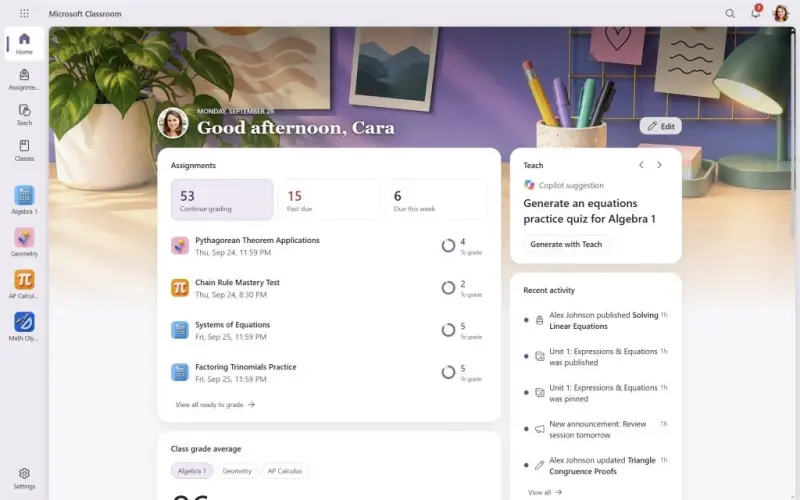
The experience layer includes personal and class home pages, school branding, and options for teachers to surface the education tools they need. Microsoft has shown a Classroom homepage and a side-by-side view against Teams, both reproduced below.
What teachers and students can do
Classroom is designed to cover the main education workflows that Class Teams users already rely on. According to Microsoft's material, that includes:
- Creating, distributing, completing and marking assignments
- Organising curriculum materials through Classwork
- Viewing grades and feedback
- Using OneNote Class Notebook
- Reviewing activity and progress through Education Insights
- Running student check-ins with Reflect
- Accessing Teach and its AI-assisted teaching tools, including all the learning accelerators
- Reusing assignments and other content across classes
Microsoft has also said it may refine individual features before general availability, so treat this list as the current intent rather than a locked feature set.
Why the simpler student view matters
Teams is a broad collaboration platform, and that breadth suits many schools. The trade-off is navigation. When a student's core job is to find resources, submit work and read feedback, every channel, chat, tab and app around the class becomes noise. Younger learners feel that most, and so do schools that already run a separate system for day-to-day messaging.
Separating the education workflow from Teams channels, chats, tabs and apps should address that. Microsoft's positioning places the experience closer to the simplicity many schools associate with Google Classroom, while keeping the Microsoft AI-powered learning services and deep Microsoft 365 integration that existing customers already depend on. Here's the thing, though: that integration is also why this isn't a clean swap. The identity, storage and group structures underneath still matter.
What happens to Teams
Teams stays. Schools that continue to license it keep Class Teams with channels, posts, meetings, tabs, apps and the full range of education features.
If a school removes Teams licensing for students, those students can use Microsoft Classroom as their learning platform. Microsoft says Classroom is available to all students and teachers at no extra cost. That's a notable line, and it's worth confirming against your own agreement once the product ships.
Schools may move over the next few years depending on their licensing choices. Others may decide Teams remains the right platform for them. Microsoft's licensing changes are set out in its education portfolio documentation.
Classroom and Class Teams side by side
The table below summarises how Microsoft's current material compares the two experiences.
| Area | Class Team | Microsoft Classroom |
| Main purpose | Teaching, communication and collaboration | Focused teaching and learning |
| Assignments and Classwork | Available | Available |
| Grades, Insights and Reflect | Available | Available |
| Class Notebook | Available | Available |
| Teach and Learning Accelerators | Available | Available |
| Teams channels and chat | Available | Not part of a native Classroom class |
| Teams tabs and apps | Available | Not part of a native Classroom class |
| Microsoft 365 Group, Calendar and SharePoint site | In the background behind the class | In the background behind the class |
| Mobile access | Teams apps available | Dedicated Classroom apps planned |
Two rows deserve attention from administrators. The SharePoint site still exists behind a Classroom class, but Classroom doesn't include the SharePoint class home feature that Class Teams offered. And a new class will be created as either a native Classroom class or a Class Team, not both.
What it means for Cloud Design Box customers
Cloud Design Box, which is building tooling around these classes, says it will support Classroom provisioning. Customers will be able to choose whether each new class is provisioned as a Class Team or as a Microsoft Classroom class. The company also says its existing features will keep working with Classroom data, including Class Dashboard, My Classes, My Assignments, Class Drop-in, Student Assignment Lookup and Assignment Analytics.
Cloud Design Box has said it will test each of these features during Microsoft's preview and make changes before general availability. It also plans to test provisioning at scale and the integrations its customers rely on. Those tests are the ones to watch if you're running a third-party dashboard or assignment tool on top of Class Teams today.
Timing and what's still moving
Microsoft expects Classroom to reach general availability for the northern hemisphere back-to-school period in 2027. It plans to share more at Bett 2027, while the product is still being developed and tested. Microsoft may refine the timetable, so plan around the window rather than a specific date.
Some details are still open. Microsoft plans school branding that includes a logo and colour theme, but the final administration and personalisation options may change before general availability. Dedicated Classroom apps for iOS and Android are planned with notifications, and final release details haven't been confirmed. Microsoft also plans to let students and staff browse archived classes in Classroom, and Cloud Design Box has asked for direct links into archived classes. It isn't yet clear whether archived Class Teams will appear in Classroom.
Some AI features may require a separate entitlement, so check that before assuming every Teach capability comes with the base licence.
The Teams licensing change that sits alongside it
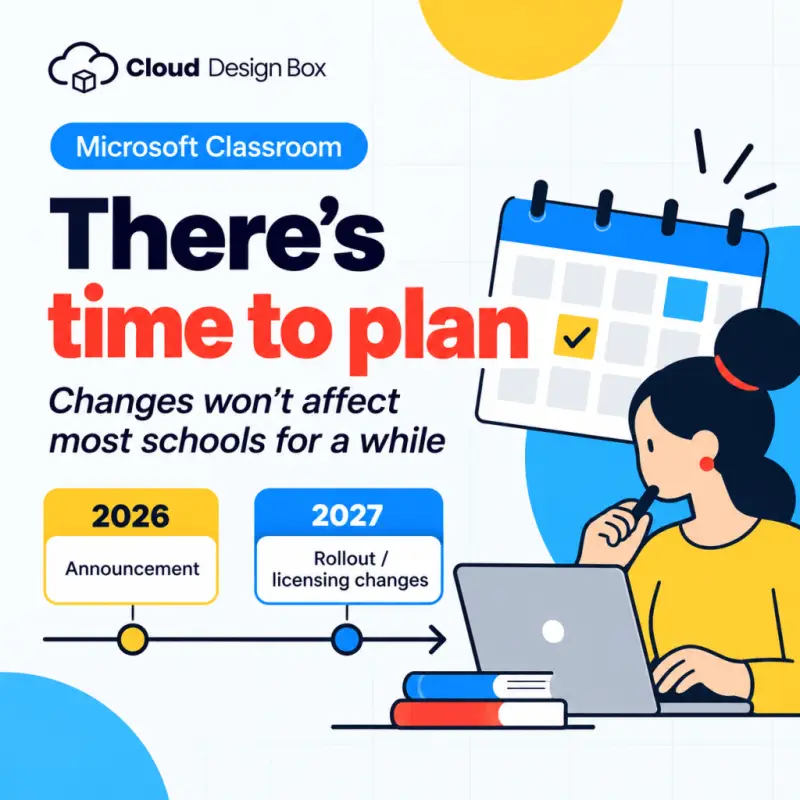
From November 2027, Microsoft Teams is expected to require a separate licence rather than being included within Microsoft 365 Education licence packages. Schools will be able to decide which staff, teachers and students need the wider Teams experience. That decision is what makes Classroom relevant to budgets, not just to classroom workflows.
Some schools may be able to extend existing arrangements, with 3-year contracts mentioned, before the new model takes effect. Agreement dates, eligibility and pricing will vary. Schools should raise their position with Microsoft or their usual licensing partner well before May 2027. Microsoft may change these dates, so check directly with them. Cloud Design Box says it doesn't sell Microsoft licences and can't advise on individual licensing agreements.
Questions schools are already asking
Several questions come up repeatedly, and the current answers are as follows:
- Can staff keep Teams while students use Classroom? Microsoft's FAQ indicates yes. Staff could keep Teams for communication and collaboration while Classroom serves as the main student learning space. All teaching and learning would then happen in Classroom rather than Teams.
- Can one class use both? No. A newly provisioned class is either a native Classroom class or a Class Team. Microsoft also plans to let existing Class Teams move into Classroom.
- Can existing content be reused? Microsoft plans to let educators reuse assignments, Classwork modules and Class Notebook sections from archived Class Teams.
- Is it similar to Google Classroom? The two share a focus on classes, resources, assignments and feedback. Classroom, though, is designed for schools running Microsoft 365, so the comparison should cover the wider Microsoft 365 and Google Workspace environments rather than the classroom apps alone.
That last point is where I'd push schools hardest. Migration decisions involve identity, devices, data, training and an institution's broader Microsoft 365 strategy. The classroom app is one piece of that picture.
What to do between now and 2027
There's time to plan. Unless a school changes its licensing arrangement, no action is required yet. A practical starting list looks like this:
- Keep using current Class Teams while Microsoft completes Classroom
- Map which staff and students actually use Teams channels, chat, meetings and apps
- Ask your licensing partner how the November 2027 change applies to your agreement
- Note any third-party dashboards, sync rules or assignment tools that depend on Class Teams, and test them when preview builds arrive
Classroom is a useful addition for schools that want a simpler home for teaching and learning, and Teams remains available where its broader features earn their place. The decisions that matter most in the next year are licensing and provisioning, and those are the ones to start mapping now, before the Bett 2027 details and the preview builds arrive.


